Showing posts with label paypal. Show all posts

Tuesday, April 3, 2012

Skype Unlimited World

I've been subscribed to a service called Unlimited World in Skype for two years now since my girlfriend left to work in Singapore. I call her every single day while she commutes to and/or from work so she wouldn't feel alone and lonely. Sometimes, I ring her when she's out of her apartment and we just keep the line open just so we could hear each other's voice. She also uses my Skype account to call her relatives in Canada and Hong Kong and I use it to call my family in the United States and we can talk for hours without having to worry about the cost. I have also used my account to call hotels abroad and for some other international calls on some occasions.

So is the $14 monthly subscription worth it? I would say absolutely YES! A $20-a-year magic jack, confined to unlimited calls to only Canada and USA, cannot compare to the usefulness of this subscription for a person like me who knows people from all over the world, which if you think about it, like most Filipinos.

Here is the complete list of the countries I could call with my Unlimited World subscription.

Landlines:

Argentina, Australia, Austria, Beligum, Chile, Croatia, Czech Republic, Denmark, Estonia, Finland, France, Germany, Greece, Hungary, Ireland, Israel, Italy, Japan, South Korea, Luxembourg, Malaysia, Netherlands, New Zealand, Norway, Poland, Portugal, Russia (Moscow and St. Petersburg only), Slovakia, Spain, Sweden, Switzerland, Taiwan, and United Kingdom

Landlines and mobile phones in:

Canada, China, Guam, Hong Kong S.A.R, China, Puerto Rico, Singapore, Thailand, and United States

This is really quite useful for Filipinos because, as I mentioned above, we are scattered all over the world. If you convert the cost of this subscription to pesos, it is roughly the same amount as a local monthly landline subscription, which only offers unlimited local calls. So think about the amount you can save with this. The only downside I see is that the relative working abroad probably wouldn't want their relatives in the Philippines to have easy access to them. I'd be scared too if any of my relatives in the Philippines can call me to ask for money any time of the day, LOL.

If you have a smartphone with a Skype app installed. Then the possibility just became endless. When I'm out of the house and needed to call abroad, I simply whip out my phone, connect to a nearby free wifi, or connect to my prepaid mobile internet, which only costs 10 pesos for 30 minutes (Smart), and presto, a very cheap way to call abroad.

But how do one subscribe to this you say? First, you need a computer, internet connection, and Skype installed of course or a smartphone with a Skype app installed that could connect through wifi or mobile internet. You also a need either a bank account, Paypal account, or a credit card. And lastly, a Skype account. Click here to go directly to their monthly subscription page and choose Unlimited World. One reminder though, this is called a subscription for a reason, because it is. If you want to use it for just one month, you have to cancel your subscription manually so you won't be billed for the next. That's it! Happy Unlimited Calling!

Wednesday, March 28, 2012

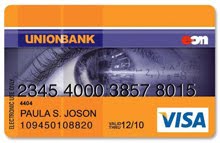
Unionbank EON Debit Card


I'm surprised that some Filipino netizens are still unaware of this very invaluable piece of plastic especially for those who want to purchase products online but doesn't have credit cards. I just had my EON card renewed 3rd quarter of last year and will probably still keep it for years to come since I only have a Mastercard via my credit card and this one has the Visa Electron logo.

Currently there is only one way to apply and that is to go directly to the bank. Before 2009, you can apply online but they have since disabled that. So better put on your smiling face and prepare to talk to a grouchy personnel. Bring photocopies of two valid I.D.'s such as:

1. Passport.
2. Driver's license.
3. PRC I.D.
4. TIN card.
5. Voter's I.D.
6. SSS I.D.
7. Postal I.D.
8. Current Company I.D.
9. Current Student I.D.

You only need to pay for the card and there is no maintaining balance. However, it has a yearly 350-peso fee much like a credit card, albeit much much lower than the usual 1500-peso a year fee for classic credit cards. Also, if you withdraw funds through the counter, there will be a 100-peso fee and in your third Unionbank ATM withdrawal, there will be a 10-peso fee, and a straight up 10-peso fee per transaction on non-Unionbank ATM withdrawals. So, they're basically saying this card is designed as a prepaid credit card and encourage you to use it as such. Don't worry though because it's accepted in all establishments that bear the VISA logo.

Prepare at least 700 pesos, 350 for the card fee and the rest for your deposit so your card already has funds when you pick it up it in a couple of weeks. This is important because when verifying your card in your paypal account and registering it as your primary card for your google wallet account, these two services will need to withdraw a certain amount each from your account to verify your cards. About $2 or 100 pesos is the magic number so make sure you have that amount in your card when you verify. But don't worry, they will refund the amount and this will be back in your account in no time or in my experience in about a couple of days.

But before verifying this card in your paypal account, it is best to enroll it in Unionbank's online banking facility first. This will only take at least two days to activate and there is no need to go to the bank to fill up some forms unlike in other banks. I'm looking at you Metrobank and BDO. This way you could verify your Paypal account quickly because you could see your transactions online where you will find the four-digit EXPUSE or Expanded Use number that you will use to verify your card in your paypal account. You could also call the customer service to ask for the EXPUSE number if that's your thing, but I like to do things privately. One word of advise, make sure your billing address in your EON account is exactly the same with your billing address in your paypal account.

Also, having an online account, you could easily track your funds and your transactions so you don't need to check your balance in the ATM, which unfortunately also has a fee and quite inconvenient if you ask me. How much though, I'm not sure because never once did I check my balance through the ATM machine, but I'm sure there is because I always read the fine print.

Registering your EON account as your primary card in google wallet is fairly easy. Just register it like a regular credit card and it's all done. No more verification numbers to think about.

After verifying with paypal using the four-digit EXPUSE found in your transaction detail, you can now register and use your account in any online shopping sites that accepts this as a form of payment (i.e. ebay) and shop till you drop, of course I mean as long as you have funds in your EON account. And with your google wallet/checkout account, you can now purchase apps in the google play market for your android device.

Some disadvantages though are you cannot book hotels online, you cannot pay airline tickets, and you need to go to the bank and deposit funds before you could purchase things online, but at least you can.

-----------------------------------------------------------------------------------------------

So let's summarize.

1. Go to your nearest Unionbank to apply for an account.

2. Pay 350 pesos for the card together with a deposit (For convenience of course. You can always deposit more funds when you pick up the card).

3. Wait two weeks to pick up the card.

4. Enroll your EON card to the online banking facility and wait for it to be activated.

5. Verify your card in your paypal account.

6. Check your transaction details and look for the description with PP or Paypal in it with four numbers and enter those four digits as your paypal verification code.

7. Register it to your Google wallet just like a regular credit card (No verification number needed).

8. Enjoy your online shopping freedom.